


Batch signing for telemedicine
Sign prescriptions in batches with a qualified signature, for your entire team of physicians.
Your physicians approve prescriptions with a passkey and PIN, without a card or card reader. Each prescription receives its own qualified signature and can be verified individually. No media breaks, right in your platform, via API or white label.













How your physicians sign in batches
With batch signing, multiple prescriptions are signed with a single approval, and each one receives its own individually verifiable signature.
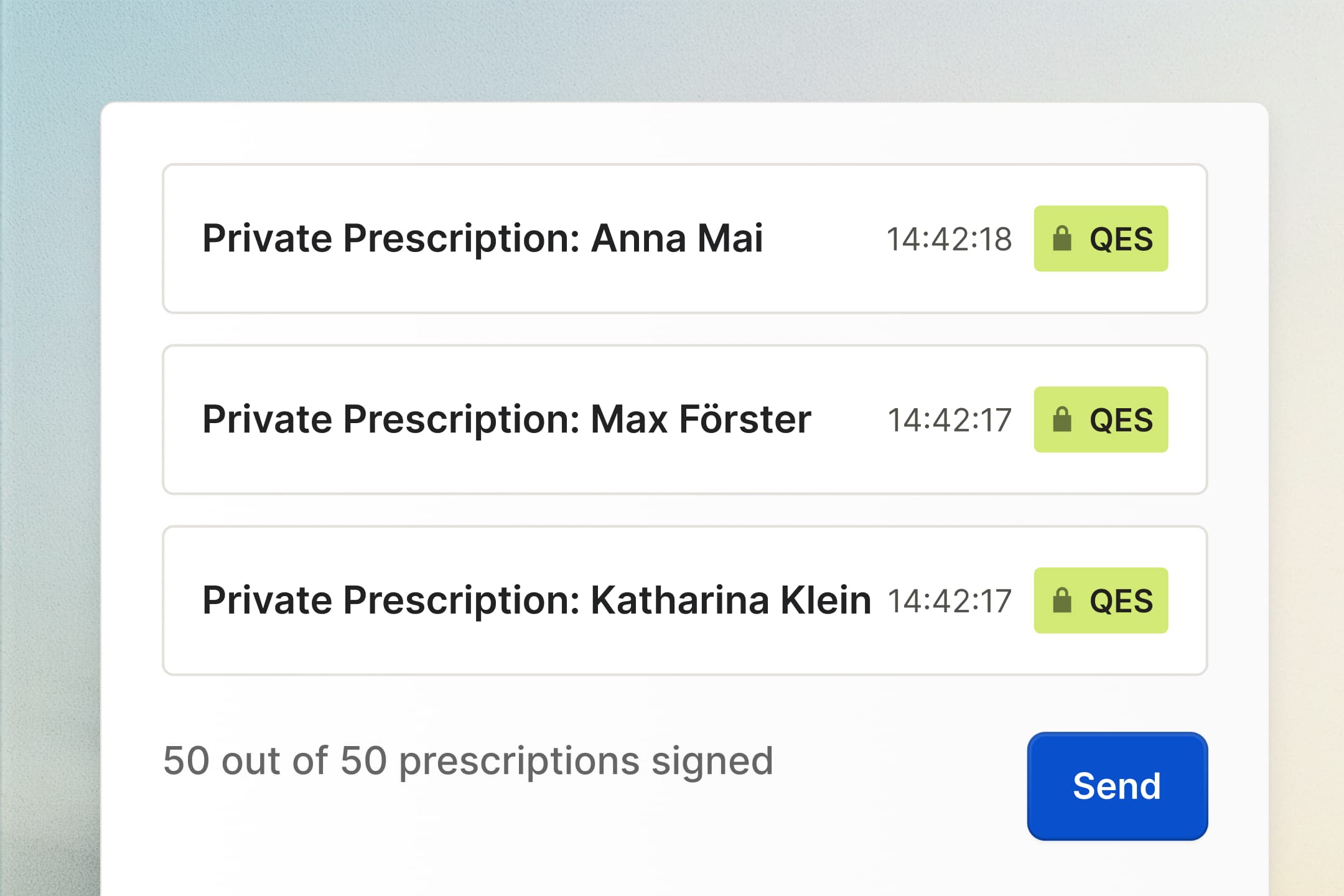
Review and select prescriptions.
The day's prescriptions are ready for approval. Quickly review them, select all or just some, done. Directly from your platform if you like.

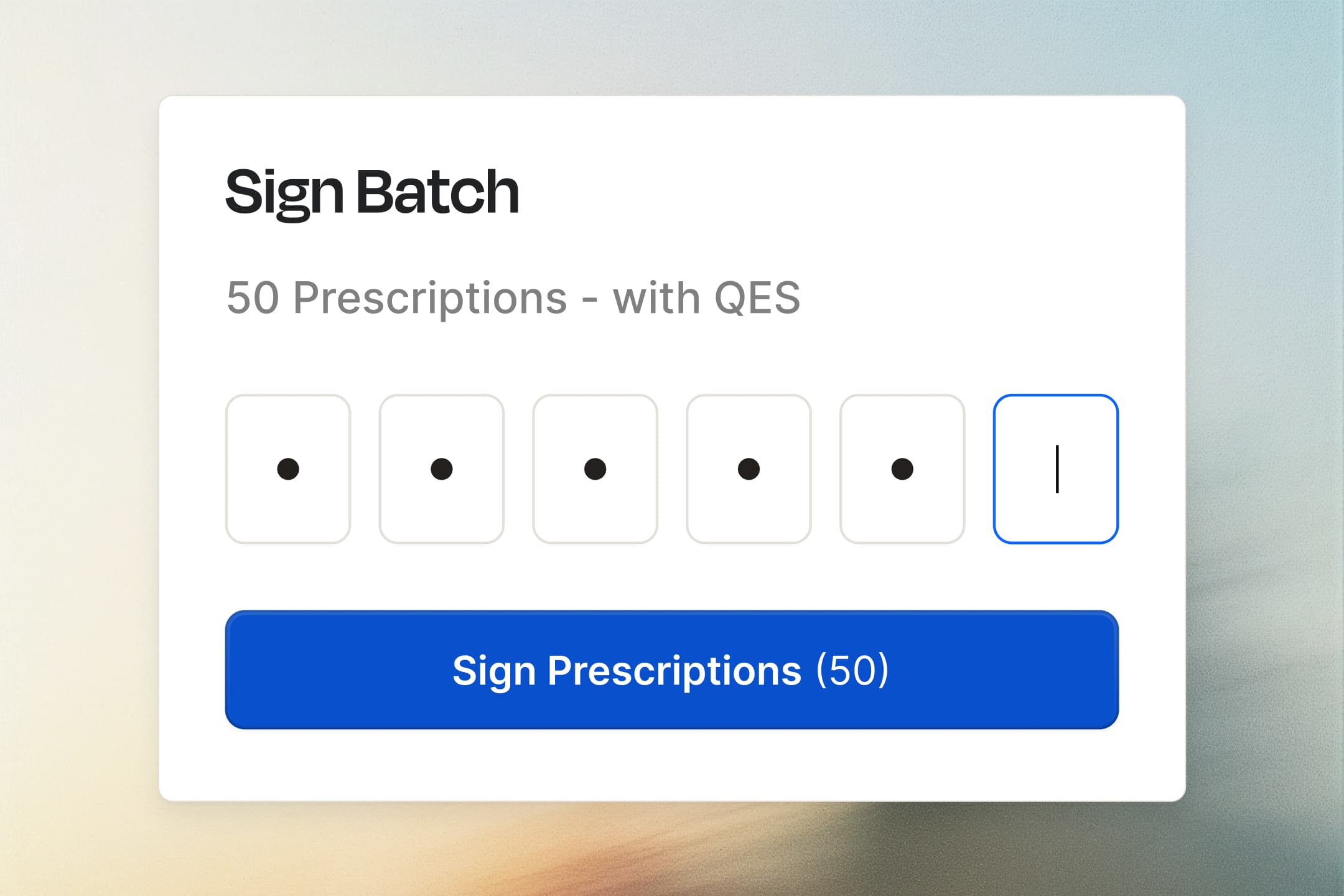
Enter your PIN once.
One batch, one PIN. On a smartphone between two video consultations or on a laptop in the home office. No physical signature card required.
Done. Everything signed.
Each prescription carries its own qualified signature with a timestamp. Send it straight to the patient or pharmacy, store it in your platform, verifiable with any eIDAS validator.
In your platform, under your brand.
Your physicians sign where they already work, in your interface and in your design.

In your interface: The approval window appears in your branding or runs completely invisibly in the background.
Real-time status: Your software always knows where a prescription stands: created, ready, signed, sent.
Patient data stays with you: With an integration, Paperless only receives a hash of the document, not the prescription.
Live in days: Test environment, documentation and a dedicated contact for your tech team.

Why telemedicine platforms sign with Paperless

New physicians ready on day one

50 prescriptions per approval

2.5 seconds per batch

Fully digital
Maximum security and 100% GDPR compliant.
Data remains in Germany
Servers and subcontractors located exclusively in Germany
GDPR compliant
Protection of Personal Data in the EU
Regular security audits
External penetration tests several times a year
Hash-based signature
With an API connection, the document remains in the system; only its hash is signed.
Secure Login
SSO (OAuth, OpenID Connect, ADFS), SCIM provisioning, and 2FA via TOTP
Role-Based Access Control (RBAC)
Precisely Control Access Rights
Recommended by our customers


Quote
Read case study


Frequently asked questions
Yes. Approval is given once for the entire batch, but each prescription is signed individually. Each one receives its own qualified electronic signature with a timestamp and can be verified individually.
Yes. Each prescription receives a qualified electronic signature in accordance with Section 2 (1) No. 10 AMVV, verifiable with any eIDAS validator at the pharmacy or insurer.
Private prescriptions and documents outside the telematics infrastructure (TI). Statutory prescriptions (E-Rezept) and electronic sick notes (eAU) continue to run via the TI and the eHBA.
No. Statutory prescriptions (E-Rezept) and electronic sick notes (eAU) continue to run via the TI and the eHBA. For private prescriptions, your physicians need neither a card nor a card reader with Paperless.
Once, via AutoIdent, VideoIdent or eID. They then receive their certificate and can sign on the same day.
Yes. Approval is given via passkey and PIN, on a smartphone or a laptop. Nothing needs to be installed and no card needs to be inserted.
No. You can start directly in Paperless without an integration and connect your platform later.
That depends on how you get started. With an API integration, only a hash is transmitted and the documents never leave your system. If you work directly in Paperless, the documents are stored there, in data centers in Germany certified to ISO 27001 and BSI C5.
Up to 50 prescriptions per approval. A full batch is signed in around 2.5 seconds, each prescription with its own qualified signature.
Yes. The approval window appears in your interface and in your design; the Paperless logo is optional.
You can get started within days. You receive a test environment, documentation and a dedicated contact for your tech team.
